Rust - FPS and system requirements
Find out which graphics card you need to run Rust smoothly, and how many FPS popular processor and graphics card pairings give at 1080p, 1440p and 4K on “High” settings.
Rust leans heavily on the processor on busy servers - swapping the graphics card often gains less than a faster CPU.
Which graphics card do you need for Rust?
Shows the cheapest graphics card that reaches the target with a AMD Ryzen 7 9800X3D processor on “High” settings; a dash means no card gets there. A weaker processor can hold back high FPS targets.
60 FPS - smooth gameplay · 144 FPS - for a 144 Hz monitor · 240 FPS - competitive esports
| 1080p | 1440p | 4K | |
|---|---|---|---|
| 60 FPS | Arc A770 | GeForce RTX 2070 Super | Radeon RX 6800 XT |
| 144 FPS | GeForce RTX 4070 Super | GeForce RTX 5080 | - |
| 240 FPS | - | - | - |
Prices in shops
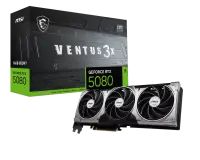
Prices checked:
FPS with popular configurations
| Processor + Graphics card | 1080p FPS | 1440p FPS | 4K FPS |
|---|---|---|---|
| AMD Ryzen 5 5600 + GeForce RTX 4060 | 75 FPS | 55 FPS | 35 FPS |
| Intel Core i5-12400F + GeForce RTX 3060 | 65 FPS | 45 FPS | 30 FPS |
| AMD Ryzen 5 7600 + GeForce RTX 5070 | 125 FPS | 100 FPS | 60 FPS |
| Intel Core i5-14600K + Radeon RX 9070 XT | 135 FPS | 120 FPS | 75 FPS |
| AMD Ryzen 7 7800X3D + GeForce RTX 5080 | 160 FPS | 145 FPS | 90 FPS |
| AMD Ryzen 7 9800X3D + GeForce RTX 5090 | 180 FPS | 180 FPS | 115 FPS |
Other games
Figures are approximate - real FPS depends on the game scene, settings and drivers. The FPS model is calibrated against public TechPowerUp, Tom’s Hardware and Hardware Unboxed benchmarks. CPU and GPU calibration: July 2026 · Newest games added: September 2026. How we calculate FPS